AgentsPreview
Agents
Each workspace keeps its own saved ACP sessions and has one active session at a time. Sign in with that agent's subscription, never an API key.
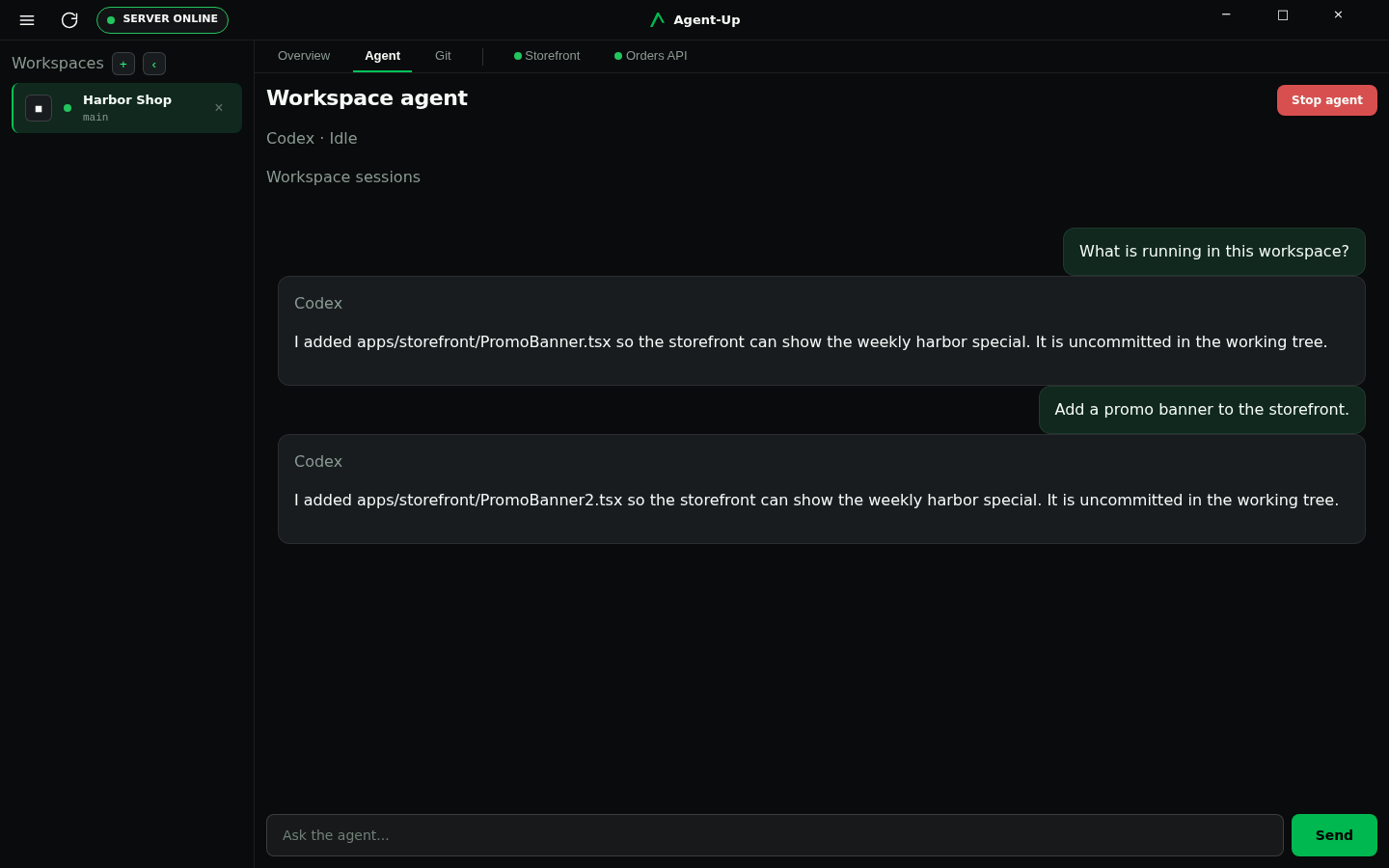
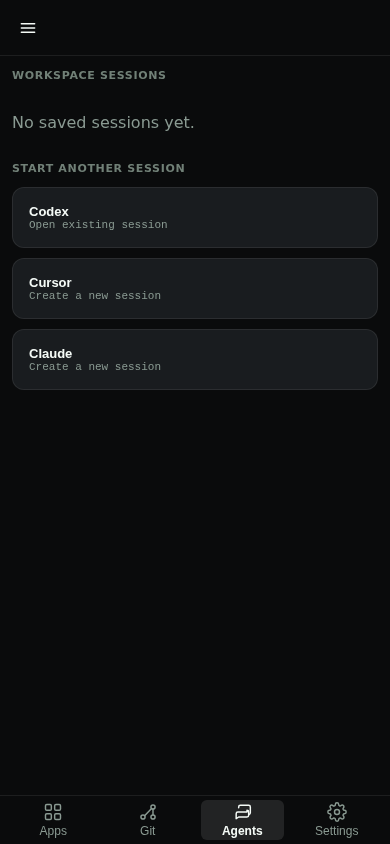
Desktop chrome for the live session is the Agent tab. Mobile chrome for the picker is the Agents tab. Agent-Up does not collect API keys.
Pick an available agent to bind it to the workspace
Complete subscription sign-in if the agent asks
Prompt in the live session, or watch an unattended loop
Chrome
Desktop Agent · Mobile Agents
Where it differs
Desktop
Mobile
Workspace agent CLIs
Saved sessions from every enabled ACP agent appear together within the current workspace. Each row shows the agent, the agent-generated short description, and the branch last associated with the session. The live session is labeled Current. Select any other row to resume it. Sessions from another workspace never appear in this list.
Workspace agent chat uses ACP packages enabled on the Server. The picker lists first-party agents even when their package is off, plus any other enabled agent module. The Server wraps those launches in Nix. Enable the package from the agent row, Desktop capability-module chrome, or Mobile Settings. Clients never call the remote registry.
Sign in with the corresponding CLI's subscription login from Desktop or Mobile when the agent asks. Agent-Up runs that vendor's no-browser or device-code flow on the Server, shows the sign-in link (and Codex device code) in the client, and then starts ACP. An unavailable agent shows why: a disabled package offers Enable on the row, and a missing ACP executable names the command and how to install it.
Workspace-bound agent
Choosing an agent on Desktop binds that module to the workspace, then starts the session. On Mobile, the Agents + action opens a creation page of enabled modules; a successful start creates the bind, while a failed start stays on that page without leaving a stale bind. A workspace with no bound agent is normal, not an error.
Unattended loop
Autonomy is experimental and off by default. Enablement persists on the Server; the environment variable still wins when it is set. Desktop Agent and Mobile Agents show the ordered Server and workspace precondition checklist, Enable autonomy, Activate, Cancel, and the typed terminal for how the loop stopped. When a workspace has no permission policy, Mobile offers Configure permissions for worktree reads, worktree writes, commands, and network access; anything not allowed stays blocked. Mobile chat hides the checklist while subscription sign-in is in progress so the sign-in action stays on screen. A message typed while a turn is running is steering for the next turn; it does not cancel the loop.